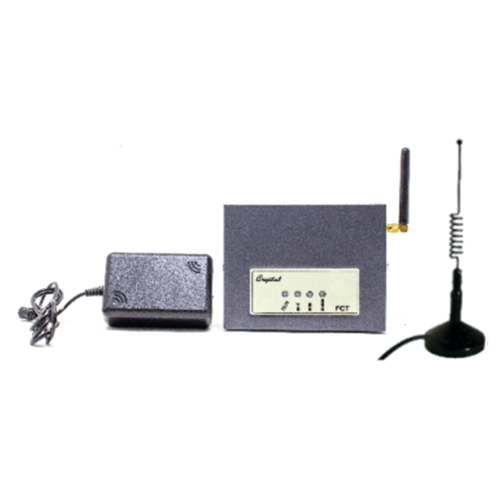
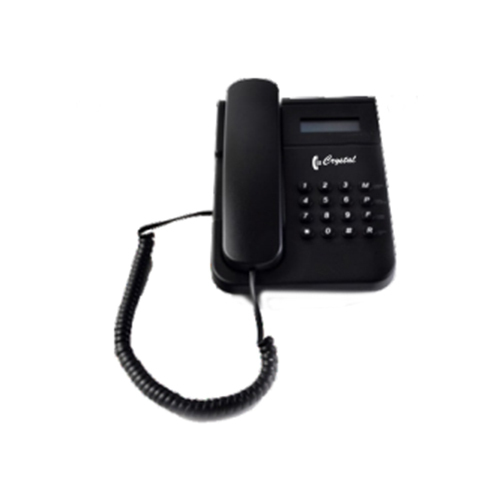
About GSM Fixed Callular Termial
- GSM based
- Dual Band 900 / 1800 / 1900 MHz
- Single SIM Support
- Omini Directional Antenna
- RJ 11 Telephone port
- EPABX Trunk port Connectivity
- Signal Strenght Indication
- CLI (Caller ID) on FCT Display
- CLI transfer to EPABX Extension
Seamless Connectivity for Remote & Business CommunicationThe GSM Fixed Cellular Terminal is engineered for seamless integration with your existing desk phone, providing an effective connection to GSM (2G/3G) networks. Its robust external antenna ensures optimal signal reception, making it suitable for areas with limited landline infrastructure, such as rural locations or remote offices. With wide compatibility, reliable backup power, and user-friendly interfaces, this terminal empowers consistent voice and data communication for businesses and service providers alike.
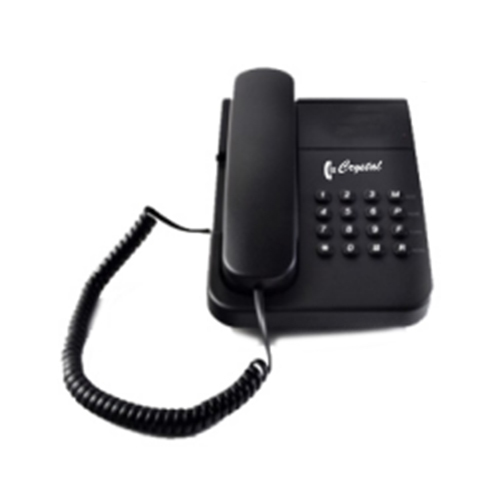
Quick Installation & User-Friendly OperationWith a compact ABS plastic body and multiple mounting options, setting up the GSM Fixed Cellular Terminal is hassle-free. The device supports standard SIM cards and connects easily to desk phones via an RJ11 interface. Clearly marked status indicators enable users to monitor power, signal strength, calls, and battery life at a glance. The plug-and-play design ensures that installation and operation require minimal technical know-how.
FAQ's of GSM Fixed Callular Termial:
Q: How do I set up the GSM Fixed Cellular Terminal with my desk phone?
A: To set up the GSM Fixed Cellular Terminal, insert a compatible SIM card into the slot provided, connect the external detachable antenna, and use an RJ11 cable to link your desk phone to the terminal. Plug in the DC adapter or use the inbuilt battery if available. Once powered on, status indicators will show connectivity and readiness for calls.
Q: What are the benefits of using this GSM terminal in rural or remote areas?
A: This terminal facilitates reliable communication in locations where fixed landlines are unavailable. By leveraging GSM networks, it connects standard phones for both voice and data services, making it ideal for businesses, rural households, remote offices, and areas with unstable landline connectivity.
Q: When is the battery backup utilized, and how long does it last?
A: The battery backup is used if the main AC power supply is interrupted. On battery, the device supports continuous talk time for 2-4 hours and can remain on standby for up to 72 hours, depending on the specific model and usage patterns.
Q: Where can the GSM Fixed Cellular Terminal be installed?
A: This terminal is designed for flexible installation. It can be placed on a desktop or mounted on a wall, depending on your office or home setup. Ensure that the GSM signal strength in the chosen area is adequate for optimal performance.
Q: What call features are supported by this terminal?
A: The terminal supports a range of call features including caller ID, call waiting, and call forwarding. These services depend on your SIM card's network support and service provider offerings.
Q: What is the process for connecting to the GSM network?
A: After installing the SIM card and antenna, power on the device. The terminal automatically connects to the GSM network, indicated by the signal LED status. The coverage area is determined by the GSM network signal, typically up to 10-20 km from the nearest cell tower.
Q: How does the external detachable antenna enhance connectivity?
A: The external antenna, attached via an SMA connector, significantly improves signal reception, especially in areas with weak network coverage. It ensures stable voice and data transmission to maintain clear communication even at greater distances from cell towers.





 Send Inquiry

 Send Inquiry