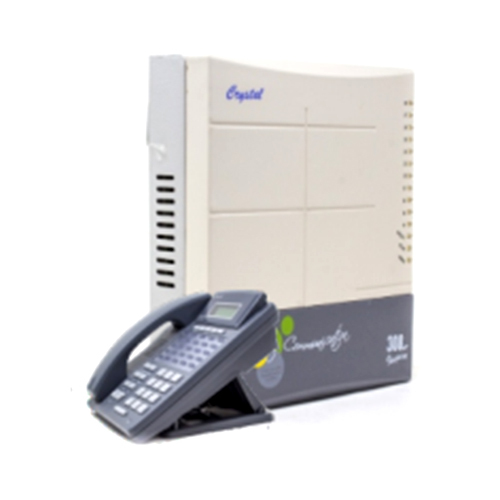
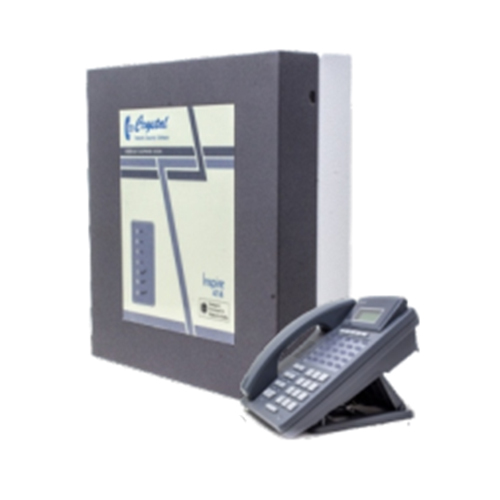
About Inspire 308 Epabx System
Extension Function
Standard
- Auto call Back on Busy Extn.
- Barge in with warning tone
- Call Monitor
- Call Toggle (between Extension)
Call pickup (Intercom / Trunk Call)
- Common Pickup
- Selective Pickup
Call Transfer Mode
- Transfer with Flash
- Transfer without Flash
Call transfer Type
- Transfer after Consult
- Transfer without Consult
Call Hold
- Caller ID (Extension Call)
- Call Forward
- Conference (3 party)
- Extension to Extension Call
- Alarm (One Time / Repeat)
- Do not Disturb
Extension Ring Type
Customize
- Normal
- Trunk
- Executive
- Cordless
- Flash Time
- Hot line (Extension)
- Relay action (Manual / Auto Mode)
- Flexible Extn. /Features Code No.
- Feature Enable / Disable Code
Trunk Function
Outgoing Call
Access Group for Trunk
- Access Linear Mode
- Access Rotational Mode
- Access Selective Mode
- Access Reserve Mode
- Auto call Back on Busy Trunk
- Class of Service (Local / STD / ISD)
- Call Toggle (Outword Trunk Call)
- Day Night Mode (Manual / Auto)
- DTMF Dialing
- External Trunk Call
- Global 100 Memory Bank (for All Extn.)
- Hot Line Dialing (Trunk No.)
- Last no. Redial
- Selective Trunk Barring
- Trunk Tie Digit
Incoming Call
Caller ID ( Incoming Trunk Calls)
- DTMF signal
- Round Robin / Simultaneous
- Transferred call (In / Out)
- Call Toggle (Incoming Trunk Call)
- DID (Direct Inward Dialing)
- Day Night Mode (Manual / Auto)
Incoming Ring Type
- Round Robin Ring Call
- Simultaneous Ring Call
Features
- Date & time Display
- Room No. / Extn. No. Display
- Room Buzzer Alert No. Display
- Room call Buzzer waiting flash
- Call waiting flash clear option
Optional Value Added Function of NEXA 108
MMOH (120 sec )
- Music Recordable
- Voice Recordable
- Put on Hold Replay
KTS Interface
- 2 Port Interface
- Max. 2 KTS Connect
Voice Disa
- 1 CH VDC
- Welcome / Error Busy / No Reply
- Day & Night Greeting
FND + KTS Interface
- To Connect FND Display
- To Connect KTS
Relay & Paging Card
- Paging (Option to connect external audio amplifier for announcement)
- Relay (Option to connect external EM Door Lock or Electric Gadgets)
Inbuilt Value Added Function for All
- Password Protected
- Remote Programming
- RTC Function (only in 308/414) (To operate timer function for day night mode, Alarm, Flash, etc.)
|
Technology
|
Microcontroller Based SPC
|
|
Trunk Loop Resistance
|
1200 ohms
|
|
Crostalk
|
Better than 70 db
|
|
Input Power
|
AC 220V, 50Hz
|
|
Power Consumption
|
20 watt Max.
|
|
Extn Voltage
|
48 V DC (ZX / KX Model)
|
|
Cabling
|
KTS on 2 pair & SLT on single pair
|
Versatile Connectivity & Easy ProgrammingThe Inspire 308 provides seamless communications for up to 8 extensions with 3 central office lines, all managed through intuitive, user-programmable controls directly from any extension. Its RJ11 ports and analog wired connectivity ensure compatibility with standard telephony infrastructure, while coverage extends up to 100 meters ensuring reliable operation even in larger premises.
Advanced Caller Management FeaturesCaller ID display (FSK/DTMF) on every extension makes it easy to identify calls, with support for both incoming and outgoing CLI. Additional features such as call transfer, intercom, and conference enhance collaboration, while call forwarding and extension ringing assignment offer flexibility in call routing for dynamic office environments.
Robust Protection & Flexible InstallationDesigned with surge and overload protection, the Inspire 308 safeguards your communication lines. The compact ABS enclosure is durable and lightweight (approx. 1.5 kg), supporting both wall and table mounting. It operates smoothly within a 0C to 45C temperature range and integrates with external UPS for power reliability, making it suitable for diverse Indian environments.
FAQ's of Inspire 308 Epabx System:
Q: How do I program or configure the Inspire 308 Epabx System for my office setup?
A: The Inspire 308 is user-programmable directly from any extension, allowing you to configure features such as call transfer, caller ID display, and extension assignments without specialized tools. Detailed steps are provided in the user manual, simplifying the customization process.
Q: What are the benefits of using the Inspire 308 for a small office or home?
A: This system boosts communication efficiency with integrated intercom, conference, call forwarding, and caller ID on all extensions. Its compact size, surge protection, and easy expandability make it perfect for small office or home use, ensuring reliable and clear connectivity.
Q: When should I use the music on hold (MOH) function, and how is it set up?
A: Music on Hold is useful whenever calls need to be temporarily placed on hold. The Inspire 308 supports both preset and external music sources. Set up is done via an external input for customized music or by using the preloaded option, providing a professional touch to your calls.
Q: Where can the Inspire 308 Epabx System be installed and mounted?
A: The system's design supports both table and wall mounting, making it adaptable for different spaces in offices, homes, SOHO setups, and institutions. Its durable ABS body ensures long-lasting performance regardless of location.
Q: What process is involved in connecting external phone lines to the Inspire 308?
A: Simply connect standard wired analog lines using the provided RJ11 ports. The system auto-detects and switches between external lines, streamlining installation and ensuring seamless operation with minimal setup effort.
Q: How does the caller ID function enhance communication on the Inspire 308?
A: The FSK/DTMF caller ID feature is available on all extensions for both incoming and outgoing calls, helping users quickly identify callers, manage call logs, and improve screening, which enhances professionalism and response times.





 Send Inquiry

 Send Inquiry